FFMPEG : Combine images into a video

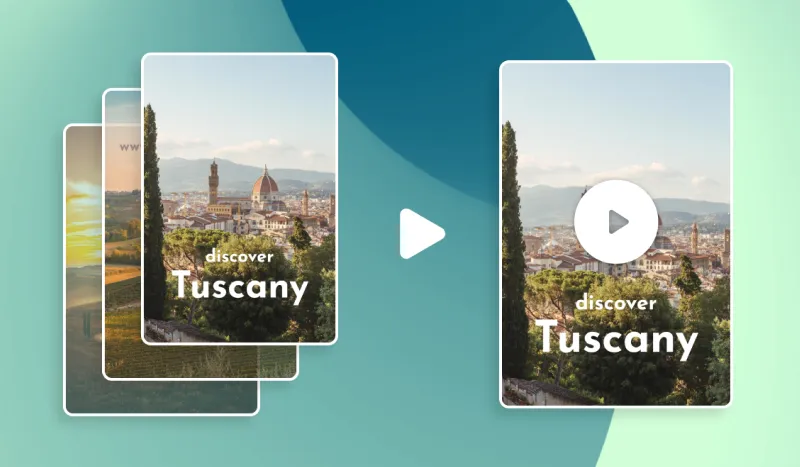
In this article we will see how to create a video from images thanks to the power of FFMPEG. It can be very useful to auto generate video content for various use cases : e-learning, tutorials or even Instagram stories ! This will resemble something like this :

Combine images into a video using FFMPEG

To combine easily different images into a single video, we need to ensure that all our images have the same width and height as our final video, are in the same folder named pictures and named in order according to a specific pattern like 001.jpeg, 002.jpeg, 003.jpeg, etc

In that example, we choose to generate a .mp4 video with the libx264 codec (most common).

Let’s see how we can use FFMPEG to turn a sequence of images into a video :

ffmpeg -r 1 -s 1080x1620 -i pictures/%03d.jpeg -vcodec libx264 -crf 25 output.mp4

Let's explain this command in details :

  • -r 1 is the frame rate per second. If I have 10 images and want a 10 seconds video, the frame rate will be 1. If I have 10 images and want a 5 seconds video, the frame rate will be 2.
  • -s 1080x1620 is the size of our result video and our images.
  • -i pictures/%03d.jpeg is our inputs pictures. Note the pattern %03d that indicates our images can be named from 000.jpeg to 999.jpeg. Adjust it according to your needs.
  • -vcodec libx264 is the video codec that we want to use
  • -crf 25 is the quality of our video. For x264, sane values are between 18 and 28.
  • output.mp4  is the name of the output file

The result : Images combined into a video using FFMPEG

Remember, we went from this :

images to convert into a video

Generate this video :

And voilà! You now know exactly how to generate a video using a sequence of images and FFMPEG. Note that if this tutorial felt a bit complicated and you'd like to use an API or a full blown SaaS to do this operation, you can use an auto video generation tool to do so. Those are especially useful when you need to generate videos in large volume or combine images into GIF or video at scale.

Get started for free

Discover how Abyssale helps teams create, automate, and scale their visual content production.
Start Scaling Today
HTML5
Build HTML5 banners that capture attention. Smooth animations, and lightweight performance in every format.

Learn more about HTML5

SHARE THIS ARTICLE
JOIN OUR NEWSLETTER

Master Abyssale’s spreadsheet

Explore our guides and tutorials to unlock the full potential of Abyssale's spreadsheet feature for scaled content production.

View all resources

How to create HTML5 banner ads without coding

Discover how to create HTML5 banners without having to code. Learn how to create HTML5 banners with a dedicated banner maker software.
Read more

How to create Facebook formats images from your Shopify catalog

Automate the generation of Facebook images for advertising or regular posts from your Shopify catalog.
Read more

HTML5 Creative Automation at Scale: Generation vs Publishing

An analyst report on why enterprise HTML5 automation shifts from a distribution challenge to a production and logic challenge at scale.
Read more
GET IT STARTED

Ready to scale your creative?

Automate your creative workflow. Create, collaborate and automate marketing assets faster than ever before.
Sign up for free today
Free trial - no credit card