

Template-Based Image Generation APIs: How They Work and How to Choose One
How template-based image generation APIs work, what separates them from prompt-based tools, and the criteria that matter when choosing one.

Explore our guides and tutorials to unlock the full potential of personalizedvisuals for your marketing campaigns.
.webp)


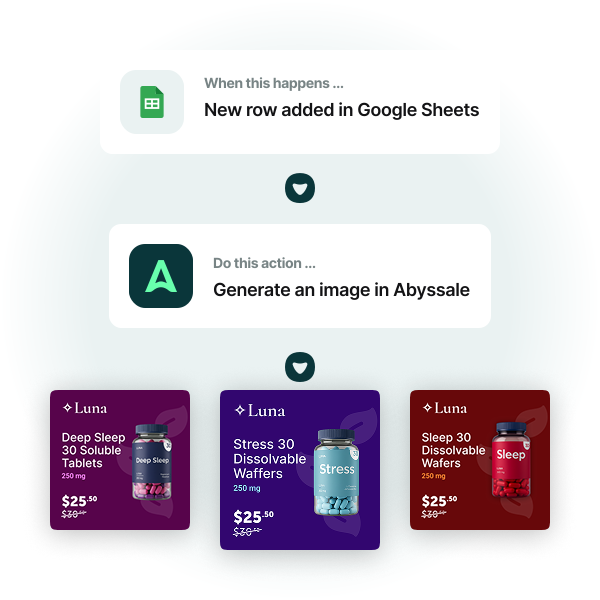
Yes. A Make scenario can trigger banner, image, video, GIF, or HTML5 ad generation when a product is updated, a form is submitted, a row is added to a spreadsheet, or a CRM stage changes. Abyssale receives the scenario data, applies it to a source design, and generates the requested assets automatically. Available output formats depend on your Abyssale plan.
Yes. A Make scenario can trigger generation of the same source design across multiple formats simultaneously, such as social media posts, display ads, story formats, and email banners. This removes the need to manually resize or adapt each asset after production. Teams use this to produce complete multi-format ad sets from a single workflow trigger.
Yes. Make scenarios can watch a product database, spreadsheet, or feed for new or updated records and trigger visual generation automatically for each change. Each record maps to a source design and produces a unique product image or banner without recreating each asset manually. This is commonly used by e-commerce teams managing large product catalogs that need up-to-date visuals across channels.
Make can connect multiple steps in a creative production workflow, such as watching a product database, transforming data, sending it to Abyssale, generating visual assets, and routing the files to storage, a CMS, a spreadsheet, or an internal workflow. This makes Make useful for teams that need more advanced no-code automation than a simple trigger-to-action setup.
A Make scenario can send structured data from connected apps into a source design, including product names, prices, discount values, image URLs, dates, locations, CTAs, CRM fields, form answers, and spreadsheet rows. Abyssale maps this data to editable layers and generates visual assets automatically from each scenario execution.
Abyssale is a Creative Automation platform that integrates with Make to turn scenario data into finished visual assets automatically. Teams use it to generate banners, product images, social posts, HTML5 ads, videos, and GIFs from Make triggers, without writing code or recreating each asset manually. It is used by marketing teams, e-commerce teams, and agencies that manage automation workflows in Make and need to produce visual assets at scale from existing data.


